Why Use the 777pb Mobile App?
Built from the ground up for Philippines mobile users.
Most people in the Philippines access the internet primarily through their phones — and 777pb is designed with that in mind. The mobile experience isn't just a scaled-down version of the desktop site. It's a purpose-built app that loads quickly on standard mobile data connections, keeps your session stable even when signal fluctuates, and puts the most-used features — game lobby, live casino, sports betting, account balance, and deposits — within one or two taps.
Whether you're on a budget Android phone or the latest flagship, the app adapts to your screen without sacrificing the gaming experience. Live dealer tables stream cleanly, slot games run without lag, and sports odds update in real time so you never miss a line change before a PBA tip-off.

Available Platforms
Download or access 777pb on any device you use.
Android App
Direct APK download — no Play Store required. Works on Android 6.0 and above.
iOS / iPhone
Install via Safari as a Progressive Web App or access directly through your browser.
Mobile Browser
No download needed at all. Open 777pb in Chrome or any browser and play instantly.

How to Install the 777pb App on Android
Step-by-step guide — takes less than three minutes on most devices.
Create or log in to your 777pb account
Head to the registration page and set up your account if you haven't already. Existing players can go straight to login. Your account works across all platforms — app, browser, and desktop.
Enable "Install from unknown sources" on your Android device
Go to your phone's Settings → Security (or Privacy on some devices) → toggle on "Allow installation from unknown sources" or "Install unknown apps." This setting is required for any APK installed outside the Play Store and is standard practice for many gaming platforms in the Philippines.
Download the 777pb APK file
Once logged in, you'll find the download link in your account dashboard. Tap the download button and wait for the APK file to save to your phone. It's a small file — typically under 50 MB — so it downloads quickly even on mobile data.
Open the downloaded file and tap Install
Go to your Downloads folder (or tap the notification that appears after download), open the APK, and follow the on-screen install prompts. The whole process takes about 30 seconds.
Open the app and start playing
The 777pb icon will appear on your home screen. Tap it, log in with your existing account details, and you're in. Your balance, history, and bonuses carry over automatically from the browser version.
How to Access 777pb on iPhone or iPad
iOS users can add 777pb to their home screen in seconds via Safari.
Open Safari and visit 777pb.app
This works best in Safari — not Chrome or Firefox on iOS. Type the address directly into the Safari address bar. The site will load in a mobile-optimised layout right away.
Tap the Share button at the bottom of Safari
It looks like a box with an arrow pointing upward. Scroll through the share sheet options until you see "Add to Home Screen" and tap it.
Name the shortcut and tap Add
You can leave the name as "777pb" or customise it. Tap Add in the top-right corner. The app icon will appear on your iPhone or iPad home screen just like any other app.
Launch from home screen and log in
Opening 777pb from the home screen shortcut launches it in full-screen mode without the Safari navigation bar — giving you a cleaner, more app-like experience. Log in and play normally.
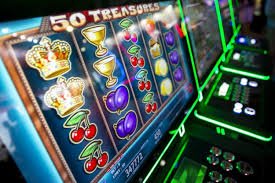
What You Get with the 777pb Mobile App
Every feature of the full platform, optimised for mobile.
App vs. Browser vs. Desktop — Quick Comparison
All three access methods work well. Here's how they differ.
| Feature | Android App | iOS / PWA | Mobile Browser | Desktop |
|---|---|---|---|---|
| Full game library | ||||
| Live casino streaming | ||||
| Push notifications | ||||
| Home screen icon | ||||
| No browser bar (full screen) | ||||
| Offline launch / faster open | ||||
| GCash / Maya deposits | ||||
| Install required | APK only | Shortcut only | None | None |
Partial support depends on iOS version and device.

Playing 777pb on Mobile: What to Expect Day to Day
A realistic picture of the mobile gaming experience in the Philippines.
Mobile gaming in the Philippines comes with its own set of realities — signal quality varies between provinces and cities, data plans range from unlimited LTE to prepaid allocations, and most players switch between WiFi and mobile data throughout the day. The 777pb app is built around those realities.
Game sessions resume cleanly when you switch from mobile data to WiFi mid-session. Live casino tables reconnect automatically if signal drops briefly. Slot games cache lightweight assets so they feel snappy even when the connection is marginal. For sports betting, the odds feed is optimised for low-latency updates — important when you're trying to get a bet in before a PBA quarter or an international match kicks off.
Account management is straightforward on mobile. Checking your balance, reviewing your bet history, initiating a withdrawal to your GCash or Maya wallet — everything is accessible from the main menu within two taps. The 777pb platform doesn't bury account functions behind multiple layers, which makes it practical for quick sessions during a commute or lunch break.
For players new to 777pb, the recommendation is to start with the mobile browser version to get familiar with the platform, then install the Android app once you're comfortable. The app installation is a one-time process, and the smoother experience — faster loading, push notifications, cleaner full-screen layout — makes it worth the five-minute setup.
If you play live casino regularly, the app especially earns its place. Streaming a live Baccarat table on a phone browser works fine, but the dedicated app handles the video feed more efficiently and maintains a stable connection during longer sessions. For slots players, the difference is less noticeable, and the browser version is perfectly adequate.
Download FAQ
Common questions about installing and using the 777pb mobile app.